


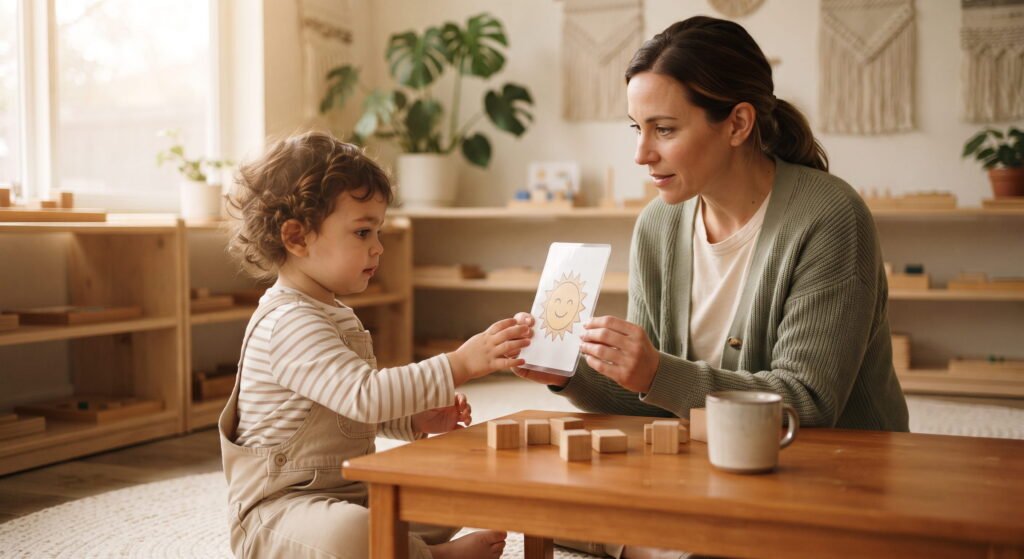
Visuals and modelling make information more stable, concrete and accessible
Visual resources can show choices, people, places, routines, sequence, safety messages and ways to ask for help. Modelling demonstrates an action without relying only on verbal explanation. Use clear, accurate and culturally respectful images; teach their meaning in calm moments; keep them available where needed; and review whether they increase understanding and agency rather than becoming compliance charts.
Spoken language disappears as soon as it is said. A photograph, object, gesture, demonstration or simple symbol remains available for another look. This can help children who are learning the centre language, need additional processing time, use augmentative communication, feel uncertain during transitions or simply benefit from clear information.
Visual support is not one universal picture system. The best format depends on the child, purpose and context. A real object may make sense before an abstract symbol; a photograph of the actual bathroom may be clearer than a generic icon. Families and relevant professionals can explain what the child already understands so the centre builds continuity instead of introducing unnecessary new systems.
Match the visual to one clear job
- Choice: show options that are genuinely available.
- Sequence: show what happens first, next and finished.
- Location: identify a person, place or storage point.
- Communication: provide messages such as help, stop, break or more.
- Expectation: demonstrate a safety action or shared routine.
Do not fill every wall with visual clutter. Select the information children need at the point of use.
Use a ladder from concrete to abstract
- Real object: hand the child the cup that signals a drink routine.
- Object cue: use a representative item associated with the activity.
- Photograph: show the actual person, place or object.
- Simple illustration: remove unnecessary background detail.
- Symbol or written word: use when the child understands that representation.
Children do not have to move through every level, and some use several formats together. Follow their established system and professional advice where relevant.
Teach the meaning before a demanding moment
A new ‘break’ symbol introduced during distress may not yet carry meaning. Model and respond to it during calm, predictable situations. Let the child see that selecting it changes what happens. Reliability builds communication; repeatedly ignoring a symbol teaches that it has no effect.
Model without requiring immediate imitation
Demonstrate how to wash hands, use a tool, enter play or choose a symbol, then pause. Some children learn by watching several times. Others need the action broken into smaller parts or physically accessible equipment. Avoid turning modelling into a public performance where the child must copy correctly before participating.
A first–then sequence used respectfully
A first–then visual can clarify a necessary sequence: first put the paintbrush in the tray, then choose the outdoor activity. It should not be used to make every preferred experience conditional on adult compliance. Explain why the first step matters and ensure the second option is real. Include choice within the sequence where possible.
Keep visuals accurate and current
If a staff photo, room layout or routine changes, update the resource. Outdated information can increase confusion. Use school or centre photographs only with appropriate permission and protect other people’s privacy. Avoid downloading images that stereotype disability, family, religion, culture or gender.
Make home languages visible with guidance
Families can provide accurate words, pronunciation and context for labels or routine cards. A translated word alone may not match the child’s everyday expression. Te Whāriki Online recommends using home languages and developing visual resources that include them as part of supporting bilingual and multilingual pathways. Keep representation connected with real relationships.
Audit a visual resource in six questions
- Does the child understand what it represents?
- Is it available at the exact place and time it is needed?
- Can the child act or communicate through it?
- Is the information accurate and culturally respectful?
- Do all relevant adults respond consistently?
- Has it reduced a barrier without reducing agency?
Use visual schedules flexibly
A schedule can increase predictability, but real days change. Teach a ‘change’ or ‘not available’ cue and explain what will happen instead. Remove completed items or mark progress if that helps. Do not use the schedule to deny a child a necessary break or support simply because it was not pictured. Observe over several days whether the schedule genuinely reduces uncertainty or simply gives adults another way to direct the child. If the child repeatedly ignores, removes or becomes distressed by it, review the format, number of steps, location and purpose with the family and relevant professionals.
Coordinate individual systems privately
Where a child has a communication book, device or professionally designed visuals, agree how they move through the day, who maintains them and what backup is approved. Staff should not redesign an established system for convenience. Ask the family and relevant specialist before making substantial changes.
Questions for Mt Roskill or Kingsland
Ask how the relevant Childsplay Unlimited team uses visual information and modelling in current routines, and whether staff can learn an individual system. Bring examples to a private discussion. Because resources, spaces and experience may differ between centres, do not assume identical provision.
Visual resources and modelling: FAQs
Are visual supports only for children with a diagnosis?
No. Clear visual information can help many children, while individual systems should reflect the child’s established needs.
Should every routine have a picture schedule?
No. Use visuals where they solve a real access or understanding problem and avoid unnecessary clutter.
Can staff make their own symbols?
For general routines, simple accurate resources may be suitable. For an individual communication system, coordinate with the family and relevant professional.
What if the routine changes?
Update the visual or use an understood change cue, explain the alternative and preserve access to help.
Contact Childsplay Unlimited
Ask about visual information and modelling at Childsplay Unlimited. Contact Mt Roskill on 09 627 9041 or Kingsland on 09 846 8908 to share your child’s current supports and discuss what the relevant centre can use consistently.